Configuration | Streams → File Comparison Guide
File Comparison
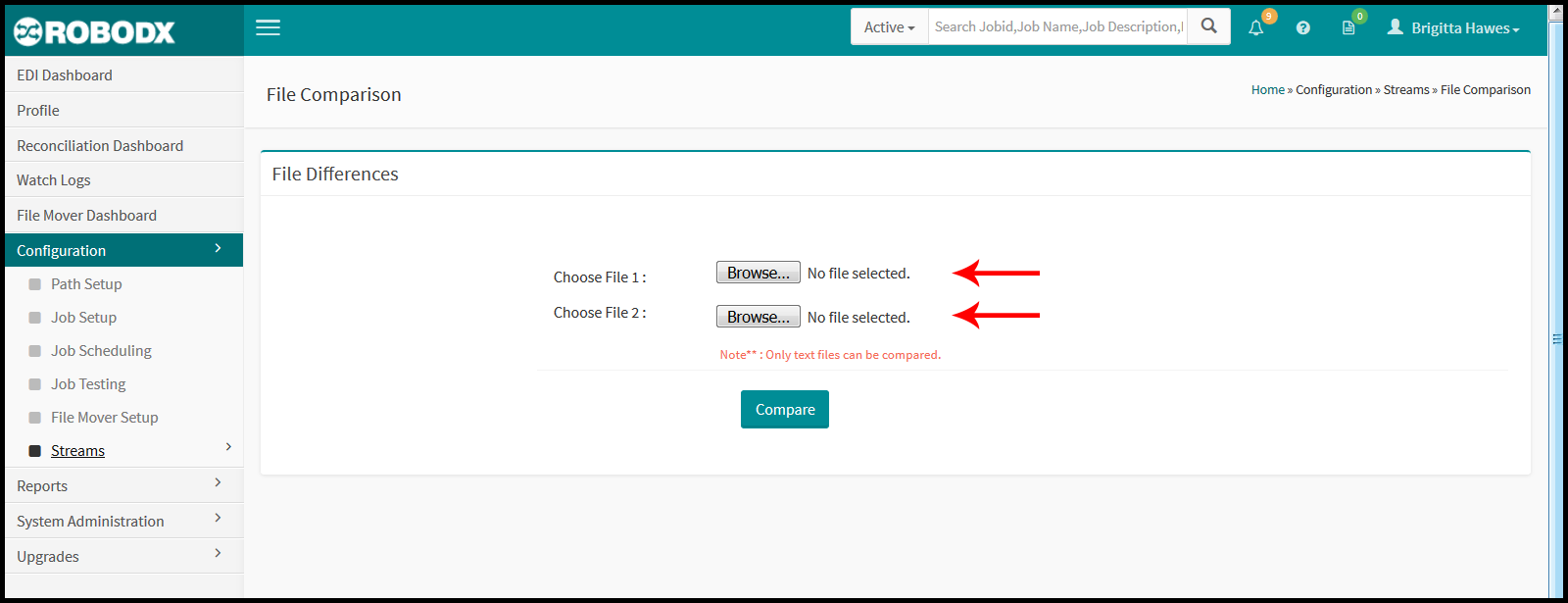
The File Comparison screen is used to compare two text files (Fig. 1).
[Fig. 1]
Instructions
To upload Files to compare, the user will need to upload two files for comparison.
- Click on the Browse button next to the "Choose File 1" label, and select the first file.
- Click on the Browse button next to the "Choose File 2" label, and select the second file.
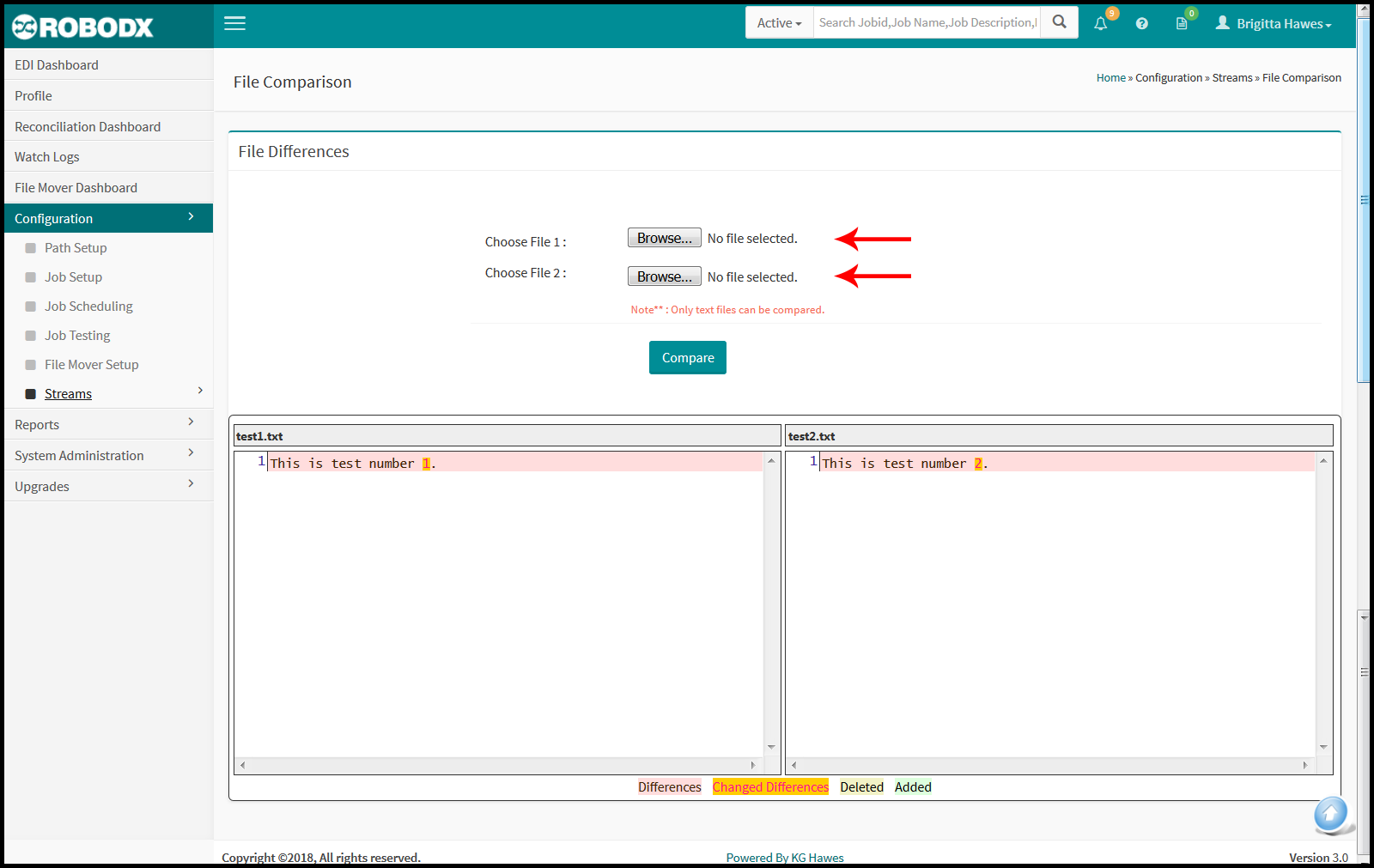
- Once the two files have been uploaded, click on the Compare button to review the output. A side by side comparison of the differences, changed differences, deleted and added sections will be highlighted in specific colors (Fig. 2):
- Differences = Light red
- Changed Differences = Orange
- Deleted = Light yellow
- Added = Light green
[Fig. 2]