System Administration → Email
Content under construction. Thank you for your patience!
The purpose of the Email screen is to ensure that authorized users can both:
- View the details of a processed job via the Email Setup table (Fig. 1), and
- Receive email notifications whenever a job is processed.
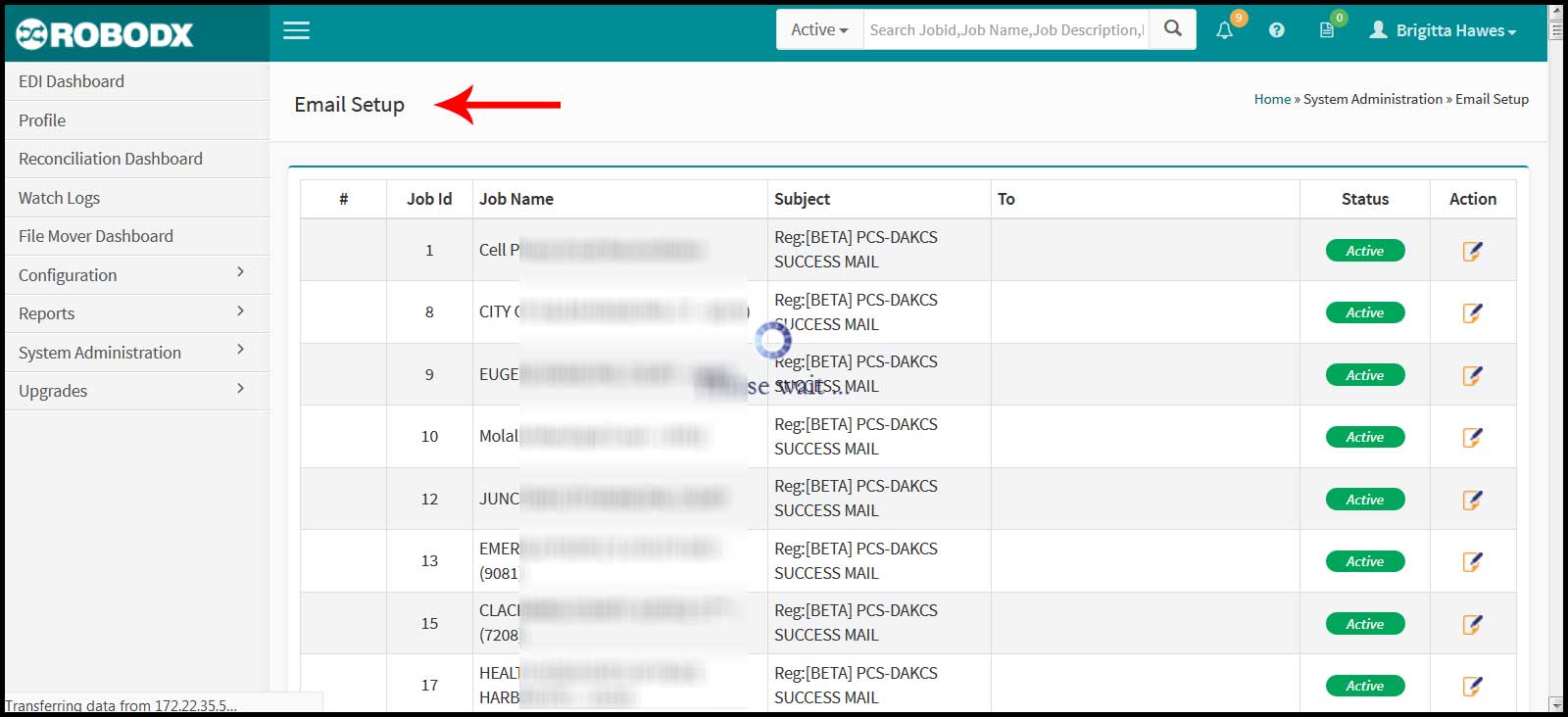
[Fig. 1]
Email Setup Table Definitions
- #: Refers to the table's row number.
- Job ID: The unique identifier of a particular job. Not to be confused with File Name.
- Job Name: Refers to the descriptive name given to a job. Usually is the name of the client. Not to be confused with File Name.
- Subject:
- To: This column will list the email address(es) that should receive notification whenever a job ir processed (whether successful or failed).
- Status: Refers to the current status of the job.
- Action: Clicking on the edit icon in the Action column for the row you would like to edit, takes you to that row's Update screen. From this screen, you may edit the information for that particular email notification.
Search Table
- Click within the search box located within the upper-right corner of the table.
- Type in your search parameter. Search parameters for this table are:
- Job ID
- Job Name, and
- Subject